> ## Documentation Index
> Fetch the complete documentation index at: https://nango-tiktok-accounts-update.mintlify.site/llms.txt
> Use this file to discover all available pages before exploring further.
# Quickstart
> Experience Nango in action in under 10mins
As an example, we will sync GitHub issues from your public repositories directly through the Nango webapp.
## Authorize an API (Github)
Begin by creating a free Nango account (no credit card needed):
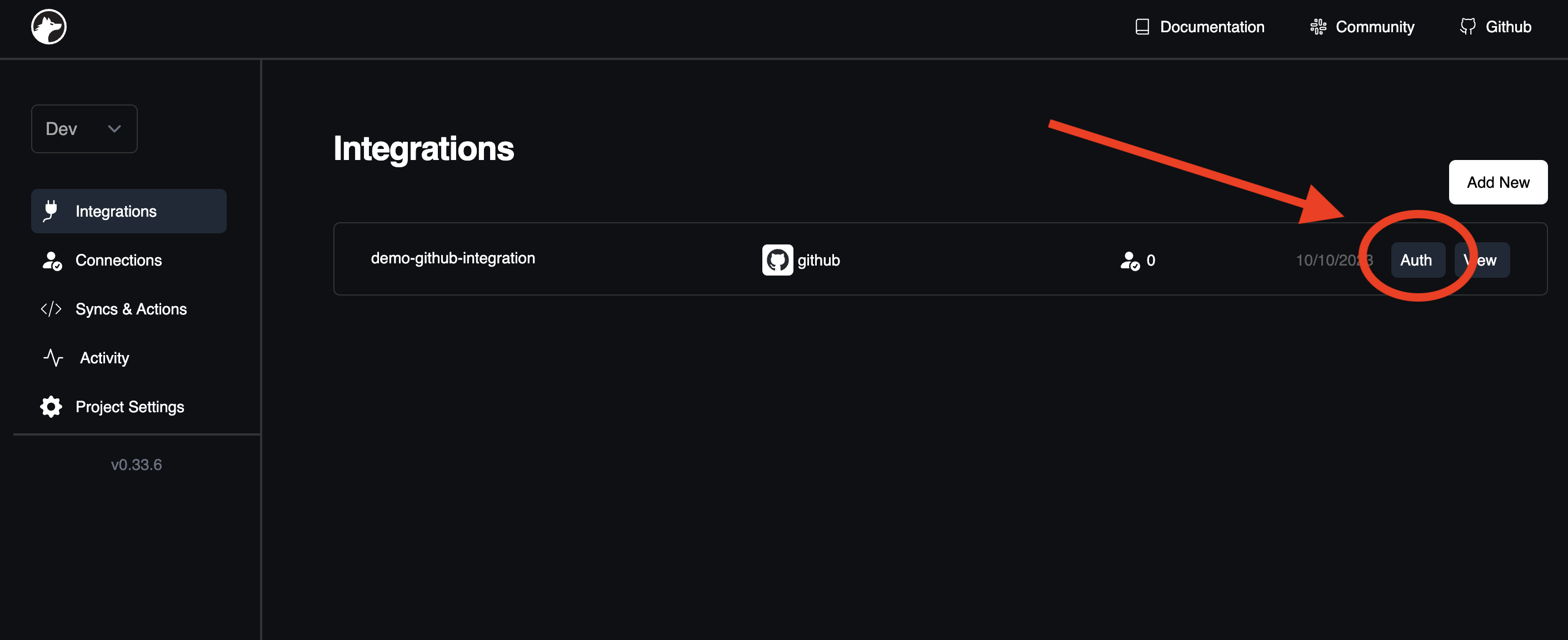
 Head to the [Integrations tab](https://app.nango.dev) and select Auth adjacent to the GitHub example integration:
 Within the `Add New Connection` page, retain the default settings and press `Start OAuth Flow`.
Authorize your GitHub account and access your credentials from the [Connections tab](https://app.nango.dev/connections). Great work!
## Sync data from an API (Github issues)
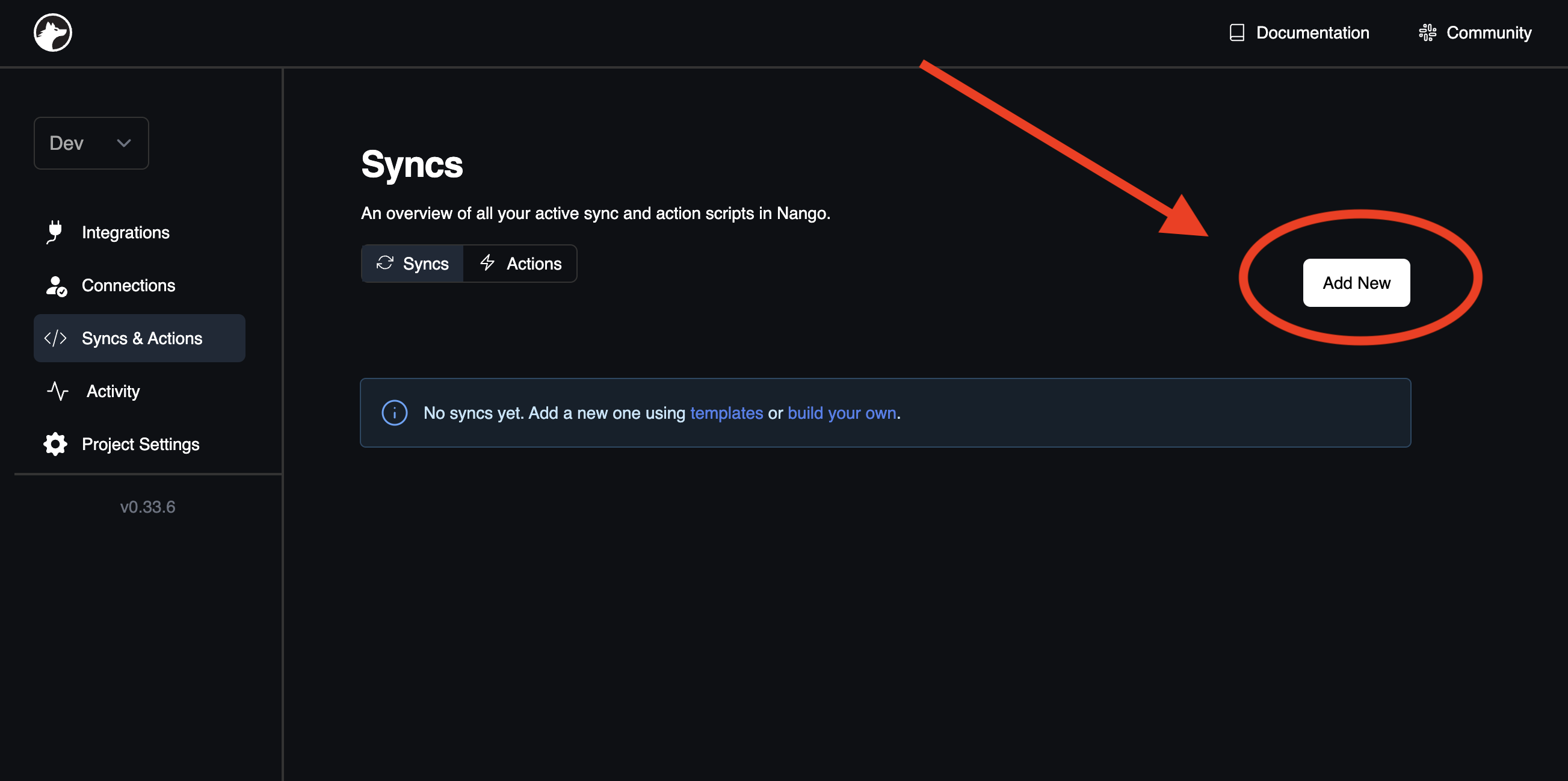
Go to the [Syncs & Actions tab](https://app.nango.dev/syncs) and click the `Add New` button.
Within the `Add New Connection` page, retain the default settings and press `Start OAuth Flow`.
Authorize your GitHub account and access your credentials from the [Connections tab](https://app.nango.dev/connections). Great work!
## Sync data from an API (Github issues)
Go to the [Syncs & Actions tab](https://app.nango.dev/syncs) and click the `Add New` button.
 From the `Provider` dropdown menu, pick `github`. In the `Template` dropdown, opt for `github-issues` (sync). Lastly, click `Add Sync` located at the page's bottom.
Fantastic! Nango will now automatically sync your Github issues in the background.
## Fetch the synced data
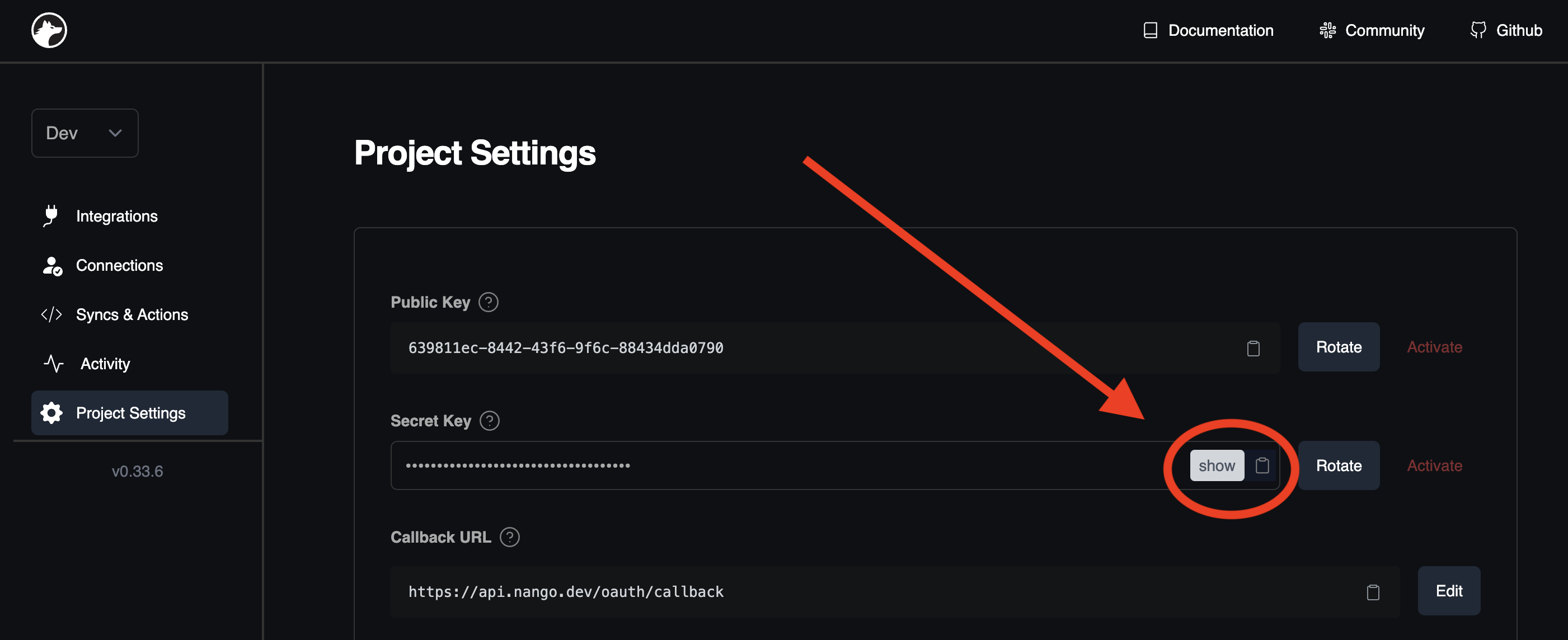
Transition to the [Project Settings tab](https://app.nango.dev/project-settings) to obtain the secret key essential for fetching the synced data:
From the `Provider` dropdown menu, pick `github`. In the `Template` dropdown, opt for `github-issues` (sync). Lastly, click `Add Sync` located at the page's bottom.
Fantastic! Nango will now automatically sync your Github issues in the background.
## Fetch the synced data
Transition to the [Project Settings tab](https://app.nango.dev/project-settings) to obtain the secret key essential for fetching the synced data:
 Now, collect the continually updated data:
```bash
curl --request GET \
--url 'https://api.nango.dev/sync/records?model=GithubIssue' \
--header 'Authorization: Bearer ' \
--header 'Connection-Id: test-connection-id' \
--header 'Provider-Config-Key: demo-github-integration'
```
```ts
import { Nango } from '@nangohq/node';
import type { GithubIssue } from '/models'
const nango = new Nango({ secretKey: '' });
const result = await nango.listRecords({
providerConfigKey: 'demo-github-integration',
connectionId: 'test-connection-id',
model: 'GithubIssue'
});
```
## Next Steps
Delve into the [Guides section](/guides) to discover how to:
* [Authorize APIs](/guides/oauth)
* [Sync data](/guides/sync)
* [Proxy requests](/guides/proxy)
* [Handle webhooks](/guides/webhooks)
## Questions, problems, feedback?
We're here to help! Please reach out on the [Slack community](https://nango.dev/slack), we are very active there.
Now, collect the continually updated data:
```bash
curl --request GET \
--url 'https://api.nango.dev/sync/records?model=GithubIssue' \
--header 'Authorization: Bearer ' \
--header 'Connection-Id: test-connection-id' \
--header 'Provider-Config-Key: demo-github-integration'
```
```ts
import { Nango } from '@nangohq/node';
import type { GithubIssue } from '/models'
const nango = new Nango({ secretKey: '' });
const result = await nango.listRecords({
providerConfigKey: 'demo-github-integration',
connectionId: 'test-connection-id',
model: 'GithubIssue'
});
```
## Next Steps
Delve into the [Guides section](/guides) to discover how to:
* [Authorize APIs](/guides/oauth)
* [Sync data](/guides/sync)
* [Proxy requests](/guides/proxy)
* [Handle webhooks](/guides/webhooks)
## Questions, problems, feedback?
We're here to help! Please reach out on the [Slack community](https://nango.dev/slack), we are very active there.