> ## Documentation Index
> Fetch the complete documentation index at: https://nango-tiktok-accounts-update.mintlify.site/llms.txt
> Use this file to discover all available pages before exploring further.
# Proxy
> Perform external API requests, with the full power of the Nango infrastructure.
This guide shows how to perform authenticated API requests through Nango.
This feature is free & unlimited on Nango Cloud.
## When to use the Proxy
The **Proxy** makes it faster for you to query external APIs by handling:
* Credential-injection in requests
* Automatically sets the correct base URL
* Logging & monitoring
* Rate-limit handling (with automatic & configurable retries)
It is especially useful for:
* One-off requests to fetch e.g. metadata from the API
* Writing data back to the API on demand
If you want to continuously sync data from the external API, check out [syncs](/guides/sync). If you find yourself to many Proxy requests for a single workflow, checkout [actions](/guides/action).
## Using the Proxy
Before you can use Proxy requests, you need to setup auth by following the [Authorize APIs guide](/guides/oauth).
### Proxy requests
The backend Node SDK supports the Proxy and offers convenience functions such as `nango.get({})`, `nango.post({})` etc.
Refer to the [SDK Reference](/sdks) for full details on proxy options.
```typescript
try {
const res = await nango.proxy({
method: 'POST',
endpoint: '/calendar/v3/users/me/calendarList',
providerConfigKey: '',
connectionId: '',
retries: 5, // Retries with exponential backoff (optional, default 0)
data: {
id: 1,
colorId: 'blue',
selected: true
}
});
// Response was 200!
// See https://axios-http.com/docs/res_schema
console.log(res.data);
} catch (error) {
// Status of response != 200
// See https://axios-http.com/docs/handling_errors
console.log(error.response.data);
console.log(error.response.status);
console.log(error.response.headers);
}
```
Some APIs are not yet fully-configured to work with the Proxy and require you to indicate the base URL.
You can check if your API contains the `proxy.base_url` field in the [providers.yaml](https://nango.dev/providers.yaml) configuration file.
If not, you need to add a `baseUrlOverride` field in your call to the Proxy as follow:
```typescript
const res = await nango.proxy({
...
baseUrlOverride: 'https://gmail.googleapis.com',
...
});
```
Feel free to contribute the `proxy.base_url` field to any API in the [providers.yaml](https://nango.dev/providers.yaml) public file, or reach out on the [Slack community](https://www.nango.dev/slack) to ask us to do it.
You can use the Proxy with Nango's REST API (cf. [proxy API reference](/api-reference/proxy/get)):
```bash
curl -X POST -H 'Content-Type: application/json' \
-H 'Authorization: Bearer ' \
-H 'Provider-Config-Key: ' \
-H 'Connection-Id: ' \
-d '{"colorId: "blue"}' \
'https://api.nango.dev/proxy/'
```
Some APIs are not yet fully configured to work with the Proxy and require you to indicate the base URL to use.
You can check if your API contains the `proxy.base_url` field in the [providers.yaml](https://nango.dev/providers.yaml) configuration file.
If not, you need to add a `Base-Url-Override` header in your call to the Proxy as follow:
```bash
-H 'Base-Url-Override: https://gmail.googleapis.com' \
```
Feel free to add the `proxy.base_url` field to any API and contribute the change, or reach out on the [Slack community](https://www.nango.dev/slack) to ask us to do it.
### Proxy request logging
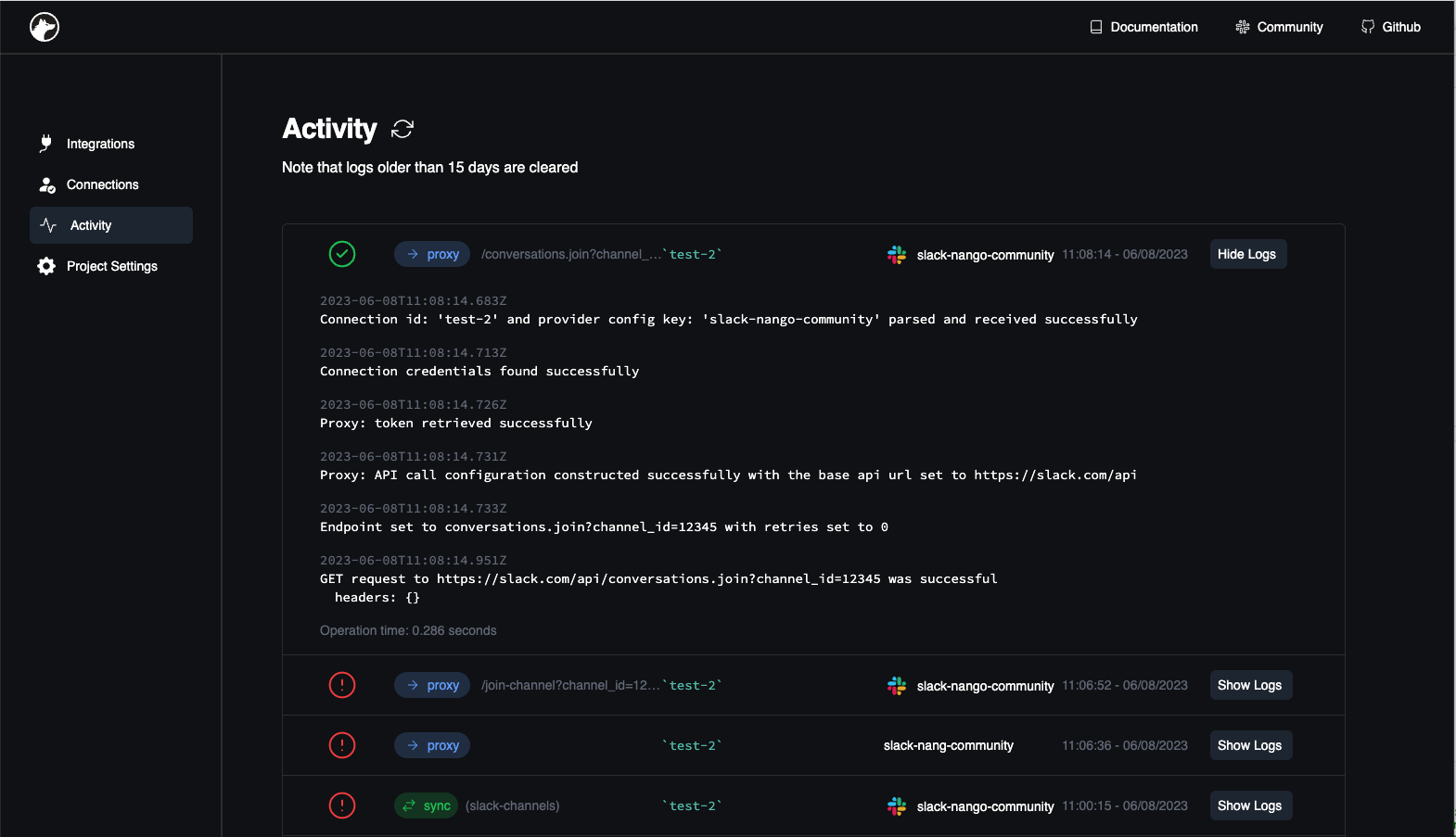
All requests that run through the Proxy are automatically logged to the [Activity tab](https://app.nango.dev/activity) in the Nango Dashboard. The logs there can help you debug failing requests.
## Need help?
Ask any question on the [Slack community](https://nango.dev/slack).